A service of AceIt Technologies LLC, Houston, Texas

Remediated to WCAG 2.1 AA and tested with PAC and NVDA

ScreenReady Docs

Sample files and test reports

Two public documents we fixed as samples. For each one you can open the original on the entity's website, download our fixed PDF and read the test report that came with it.

Georgetown ISD Crowd Control Policy
Kerrville library card application

Sample 1 of 2

Georgetown ISD Crowd Control Policy

Pages
5
Type
Text pages
Original
Original Georgetown ISD policy (PDF, 212 KB, on the district's website)
Fixed file
Fixed Georgetown ISD policy (PDF, 243 KB)

A 5-page Georgetown ISD policy on spectator behavior at district events, with a logo, headings, bulleted lists and one link. The original had no tags at all, so a screen reader had no headings, lists or reading order to follow.
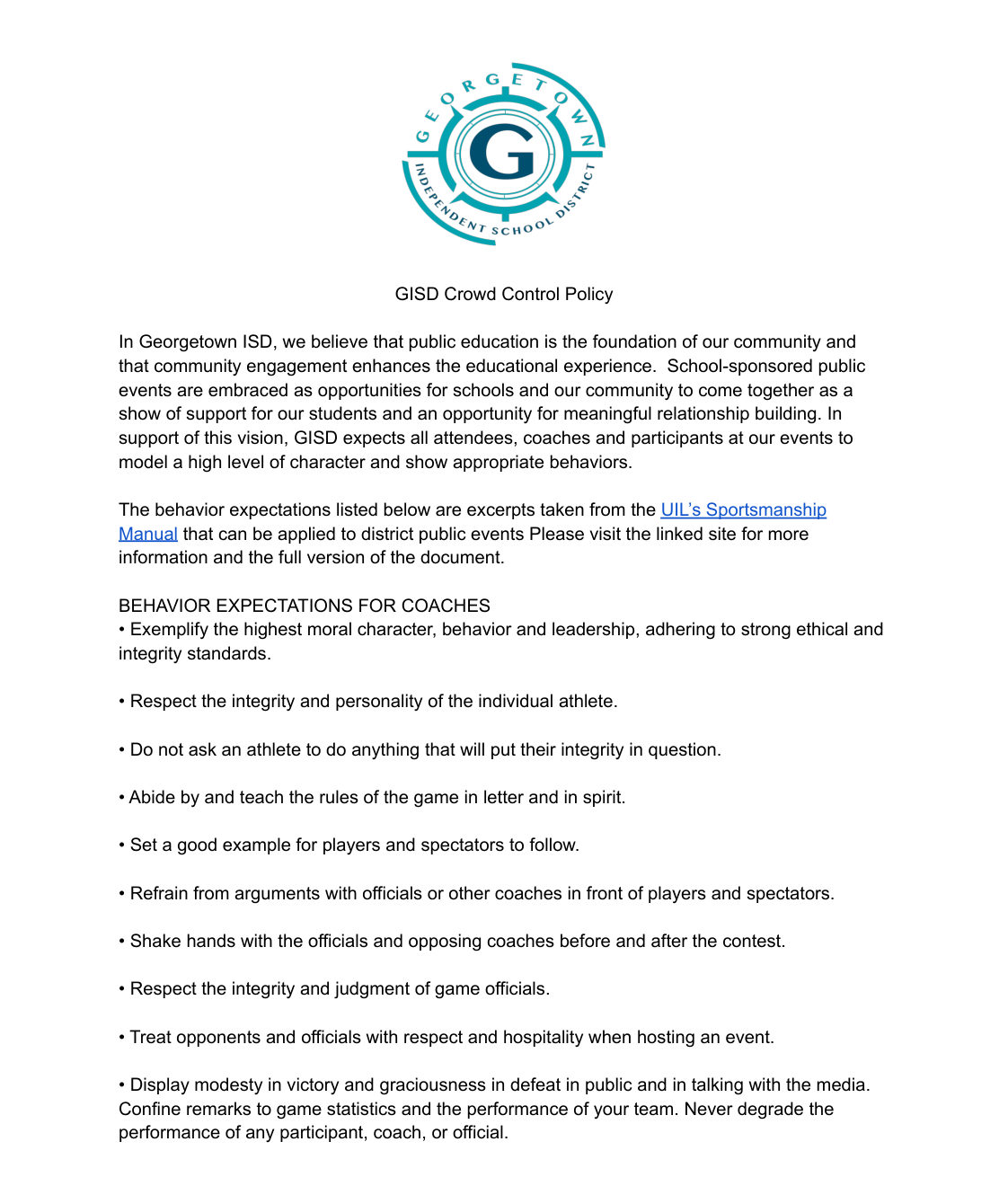
Top of page 1 of the fixed Georgetown ISD policy: the district's round teal logo, the title GISD Crowd Control Policy, two paragraphs about behavior at district events, and the first list of expectations for coaches.
Page 1 of 5 from our fixed file. It renders the same as the original. The changes are in the tags underneath.

What we fixed

  • Added tags. The original had none.
  • Set the document title to the printed title, "GISD Crowd Control Policy", and set the language to English (US).
  • Marked "GISD Crowd Control Policy" as the main heading and the 6 "BEHAVIOR EXPECTATIONS" titles as headings under it. They keep the original capitals and colons.
  • Marked the bullet points as lists: 7 lists, plus a list of 4 inside the item that starts "All spectators at GISD UIL events". 62 items in all.
  • Added a description to the logo.
  • Made the link to the UIL's Sportsmanship Manual one link, read in its sentence. It runs over two lines and was two separate links before. It goes to the same address.
  • Added 7 bookmarks, one for each heading.
  • Added spaces that don't print at line ends, so a screen reader doesn't run the last word of one line into the first word of the next.

The printed words, fonts, italics and page layout are unchanged.

Left as written, with questions for the owner

  • The file's properties gave the title "GISD Crowd Control Planning Document". We used the printed title, "GISD Crowd Control Policy", and would ask which one the owner wants.
  • Page 1: "...that can be applied to district public events Please visit the linked site..." has no period after "events".
  • Page 5: "University Interscholastic, League, Constitution and Contest Rules" has commas inside the name.

Automated checks

Automated checks on the fixed Georgetown ISD policy
CheckTool and versionResult
PDF/UA-1 rulesveraPDF 1.30.2Passed, 0 failed rules (October 5, 2026)
Accessibility checkerPAC 26.1.0.0Passed every checkpoint on October 2, 2026: PDF/UA 26,750 passed, WCAG 34,036 passed, Quality 66 passed, AI check no issues. 0 warnings, 0 failures
PDF/UA identifierveraPDF and PACPassed. Both runs above were made on this file with the identifier in
Text color contrast (WCAG 1.4.3)PACPassed. PAC's WCAG 1.4 group: 7,296 passed, 0 failed. We also measured the colors: black text on white 21 to 1, the blue link text 6.6 to 1, the 4 dark purple bullets on page 5 14.4 to 1. No colors were changed

Checked by a person

Checks made by a person on the fixed Georgetown ISD policy
CheckResult
Text matches the original (text comparison and page images)Yes. The text of all 5 pages is identical to the original (1,343 words), and the pages render the same
Reading order follows the pageYes
Form fieldsNot a form
Scanned pagesNo scanned pages

Read with NVDA

Speech review, September 29, 2026, NVDA 2026.2 with Microsoft Edge. The whole file was captured start to finish. Every word of the page was spoken, in page order, with no words run together and nothing repeated. The 7 headings were announced with their levels, the lists with their item counts, and the link in its sentence. The file has no tables and no form fields.

Final listen, September 30, 2026: a ScreenReady Docs team member listened to the whole file. Result: OK.

Both were done on the file before the PDF/UA identifier was added. We compared that file with this one object by object on October 5, 2026: the identifier is the only difference.

Limits

This file was remediated to WCAG 2.1 AA and tested with PAC and NVDA. We don't give legal advice or say a document meets a legal standard. Not checked: Adobe Acrobat Reader, and screen readers other than NVDA.
Sample 2 of 2

Kerrville library card application

Pages
1
Type
Form, 43 fields added
Original
Original Kerrville library card form (PDF, 142 KB, on the city's website)
Fixed file
Fixed Kerrville library card form (PDF, 197 KB)

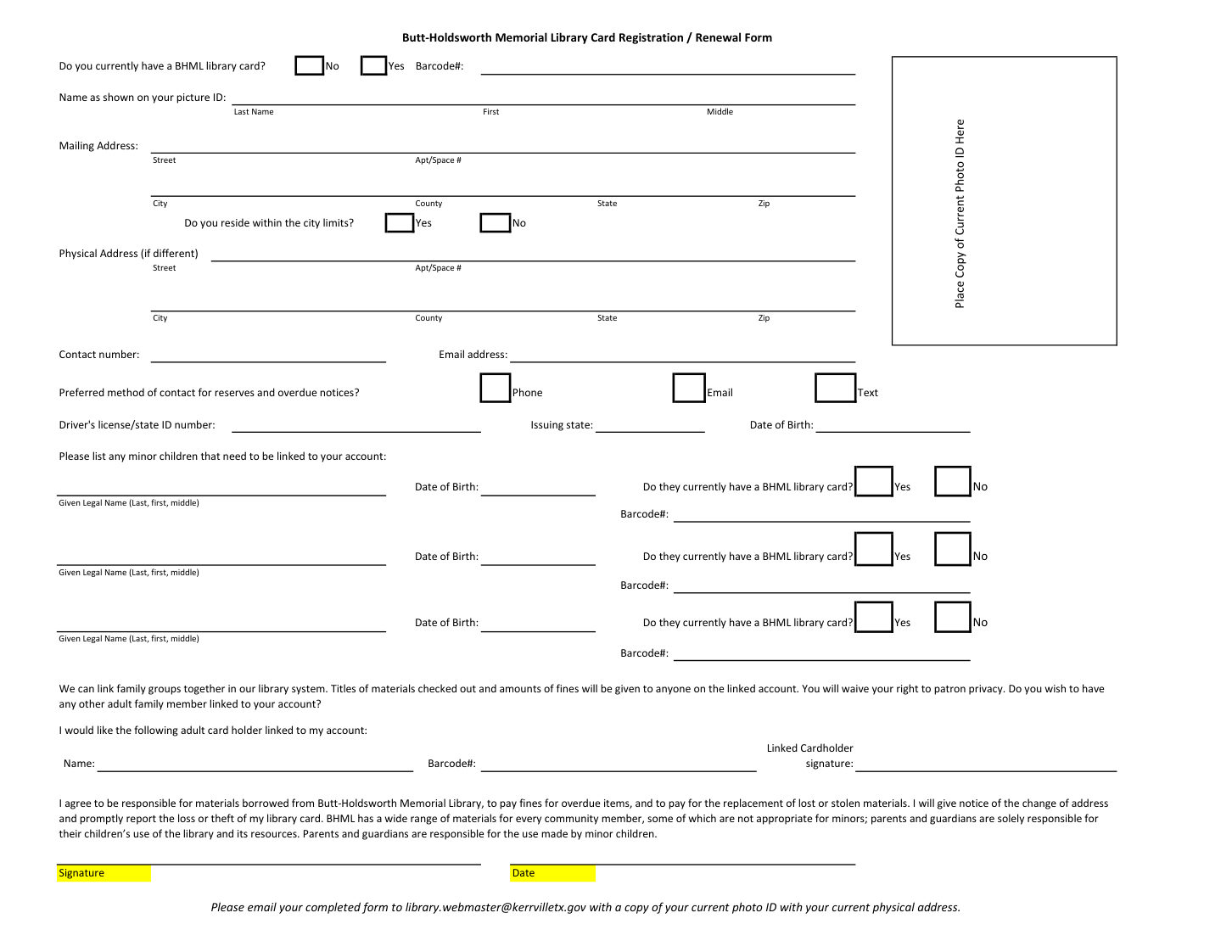
The 1-page card registration and renewal form for the Butt-Holdsworth Memorial Library, from the City of Kerrville's website. The original prints blank lines and boxes but has no fields, so it can't be filled in on screen, and its tags were 58 layout tables with no headers.

The fixed Kerrville library card form: rows of labeled lines for name, mailing and physical address, contact details and minor children, Yes and No boxes, a box for a copy of a photo ID, the agreement paragraph, and Signature and Date highlighted in yellow.
The single page of our fixed file. The printed page is unchanged, including the yellow highlight. The 43 fields were added at the printed lines and boxes.

What we fixed

  • Added the document title, "Butt-Holdsworth Memorial Library Card Registration / Renewal Form". The language was already set to English (US) and is kept.
  • Replaced the tags Excel made (58 layout tables with no headers) with tags that follow the form: the title as a heading, then each row in order, with each label next to its field.
  • Made the form fillable. It now has 35 text fields, 3 check boxes for the preferred way to contact, and the 5 Yes/No questions as pairs where only one answer can be chosen.
  • Gave every field a name a screen reader says, for example "Last name as shown on picture ID" and "Do you reside within the city limits? Yes".
  • Text typed into the form uses the Noto Sans font, which is saved in the file, so typed text looks the same in any viewer.
  • Made the library's email address at the bottom a link that opens a new email. The printed words did not change.
  • Added a bookmark for the title.

The printed words, fonts, colors and layout are unchanged, including the yellow highlight on Signature and Date.

Left as written, with questions for the owner

  • Some field names use words the page doesn't print, so a screen reader user can tell the fields apart: "Minor child 1", "Minor child 2" and "Minor child 3" for the three child rows, "does the child currently have a BHML library card?" where the page says "Do they", "Preferred method of contact" for the longer printed question, and "Text message" where the page says "Text". We would ask the owner whether they want different wording.
  • The email address was not a link in the original. We added the link and would ask whether the owner would rather leave it as plain text.

Automated checks

Automated checks on the fixed Kerrville library card form
CheckTool and versionResult
PDF/UA-1 rulesveraPDF 1.30.2Passed, 0 failed rules (October 5, 2026)
Accessibility checkerPAC 26.1.0.0Passed every checkpoint on October 2, 2026: PDF/UA 4,841 passed, WCAG 5,942 passed, Quality 52 passed, AI check no issues. 0 warnings, 0 failures
PDF/UA identifierveraPDF and PACPassed. Both runs above were made on this file with the identifier in
Text color contrast (WCAG 1.4.3)PACPassed. PAC's WCAG 1.4 group: 1,153 passed, 0 failed. We also measured the colors: all text is black, 21 to 1 on white and 19.6 to 1 on the yellow highlight. No colors were changed

Checked by a person

Checks made by a person on the fixed Kerrville library card form
CheckResult
Text matches the original (text comparison and page images)Yes. The text is identical to the original (349 words), and the page renders the same
Reading order follows the pageYes
Form fields: every field has a name, Tab moves in page order, boxes tick and text can be typedYes, with one note. All 43 fields have a name. In Microsoft Edge, Tab goes through the form row by row, except in the three minor child rows: there it stops on Yes and No first, then the name and date of birth, then the barcode. Each of those stops names its child. The form was filled in with the engine Chrome uses: all 35 text fields took typed text, including accented letters, all 3 boxes ticked, and in each Yes/No pair a second choice replaced the first. The filled form displays correctly in three viewers
Scanned pagesNo scanned pages

Read with NVDA

Speech review, October 2, 2026, NVDA 2026.2 with Microsoft Edge. The whole file was captured start to finish. Every printed word was spoken once, in page order, with no words run together. The title was announced as a level 1 heading. On Tab, every field says its name, its type and whether it's checked. The email address is announced as a link. The file has no tables. Two notes:

  • When reading line by line, a person hears both the printed answer word (Yes, No, Phone, Email, Text) and the field's own name, so these words are heard twice. In the same kind of reading, the name of the Phone box and of the No button in each child row is split over two lines.
  • The Tab order in the minor child rows, described in the table above.

Final listen, October 2, 2026: a ScreenReady Docs team member listened to the whole file. Result: OK. The two notes above were heard and accepted.

Both were done on the file before the PDF/UA identifier was added. We compared that file with this one object by object on October 5, 2026: the identifier is the only difference.

Limits

This file was remediated to WCAG 2.1 AA and tested with PAC and NVDA. We don't give legal advice or say a document meets a legal standard. Not checked: Adobe Acrobat Reader, screen readers other than NVDA, and whether an email program opens from the link.

Get a quote for your files

Every file we deliver comes back with a short report that lists what was wrong and what we changed. See our prices, or send your files for a fixed quote within one business day.

Send documents for a quote